How Large Language Models Will Benefit Businesses in 2026

In 2026, businesses that leverage advanced AI technologies like Large Language Models (LLMs) will gain a significant competitive edge. Integrating LLMs into corporate processes can streamline operations, enhance decision-making, and deliver personalized experiences for customers. Companies investing in digital marketing service strategies can particularly benefit, as LLMs enable smarter content creation, targeted campaigns, and advanced analytics, transforming the way businesses connect with their audience and drive revenue. Understanding Large Language Models Large Language Models are AI systems trained on massive datasets to understand, generate, and interpret human language. Unlike traditional algorithms, LLMs can analyze context, predict text, summarize content, translate languages, and even generate creative material. By comprehending natural language at scale, these models can automate many tasks that previously required human intervention. This capability makes them invaluable in areas such as customer support, content marketing, analytics, and research, offering businesses opportunities to reduce costs and improve efficiency. Key Features of LLMs for Businesses LLMs are not just about text generation. They offer a suite of features that businesses can harness: Natural Language Understanding: Accurately interpret customer queries, feedback, and sentiments. Content Generation: Produce blogs, marketing copies, and social media posts rapidly. Text Summarization: Quickly condense reports, emails, and articles for fast decision-making. Translation Services: Enable global businesses to communicate across languages effortlessly. Predictive Analysis: Forecast trends and customer behavior based on large datasets. These features empower companies to innovate and maintain agility in a fast-changing business environment. LLMs in Customer Experience Customer experience is one of the most critical business success factors in 2026. LLMs can improve how companies interact with clients: Automated Support: LLM-driven chatbots and virtual assistants provide 24/7 support. Personalization: Tailor responses, product recommendations, and content to individual users. Feedback Analysis: Analyze customer reviews and feedback to optimize products and services. Enhanced experiences increase customer satisfaction, loyalty, and ultimately, revenue. Optimizing Marketing Efforts with LLMs Businesses leveraging website development service alongside LLM-powered tools can significantly optimize their marketing campaigns. LLMs help in generating ad copies, social media posts, and SEO-rich content efficiently. Marketing Benefits Include: Faster campaign creation and deployment AI-assisted keyword research and optimization Analysis of campaign performance in real time Predicting audience behavior for better targeting By integrating AI into digital strategies, companies can achieve higher ROI and improved engagement metrics. Reducing Operational Costs Automation of repetitive tasks through LLMs reduces the workload on employees, allowing teams to focus on higher-value activities. Automated email drafting and management Streamlined report generation Intelligent documentation and summarization Enhanced data entry and categorization These efficiencies contribute to cost reduction, productivity improvement, and faster business processes. LLMs for Decision Making The ability of LLMs to analyze large volumes of data quickly supports more informed business decisions. Decision-makers can: Identify emerging market trends Assess customer sentiment and preferences Analyze competitors’ strategies Generate actionable insights for strategy formulation Businesses that rely on data-driven insights from LLMs are better positioned to innovate and remain competitive in 2026. Enhancing Business Websites with AI Integrating LLMs into web platforms can improve functionality and user engagement. Trusted agency in the USA often recommends combining LLM-driven content with advanced web designs for the best results. Benefits include: Intelligent content suggestions for website visitors Automated FAQs and virtual assistants Personalized product recommendations Enhanced accessibility through language understanding This approach creates dynamic and engaging websites, boosting customer satisfaction and retention. LLMs in E-Commerce For e-commerce businesses, LLMs provide opportunities to increase sales and enhance user experiences. Personalized product recommendations based on behavior and preferences Automated customer support for pre- and post-purchase queries Predictive analytics for inventory management Content generation for product descriptions and promotions These applications help companies deliver more targeted, efficient, and profitable operations. LLMs and Data Security While LLMs offer significant advantages, proper implementation ensures security and compliance. Businesses must: Use encryption for sensitive data processed by AI Limit access to AI tools and logs to authorized personnel Monitor AI outputs to prevent biased or incorrect recommendations Secure deployment ensures that LLM integration supports growth without compromising trust. Future of LLMs in 2026 By 2026, LLMs will become an essential part of business operations. Their role in marketing, customer experience, decision-making, and web functionality will continue to expand. Companies that adopt these technologies early will enjoy enhanced efficiency, better insights, and stronger connections with their customers. FAQs Who leads the company? The company is led by Manager Singh, the founder of Webtrack Technologies, who has built and guided high-performing tech teams across India, the USA, Australia, and the UAE. What experience does the founder bring? Manager Singh has extensive experience in automation, software development, and digital transformation, working with businesses of all sizes to improve efficiency and growth. How do Large Language Models improve business productivity? LLMs automate repetitive tasks, generate content quickly, summarize information, and support faster decision-making, helping teams focus on strategic, high-value work. Can LLMs enhance customer experience? Yes. LLM-powered chatbots, personalized responses, and intelligent recommendations help businesses provide faster, more accurate, and more engaging customer interactions. Are LLMs useful for digital marketing? LLMs assist with SEO content, ad copy creation, audience analysis, keyword research, trend prediction, and campaign optimization, helping businesses achieve higher ROI. Do LLMs help reduce operational costs? Absolutely. By automating emails, reports, documentation, and data entry, LLMs reduce manual workload, minimize errors, and lower operational expenses. Are LLMs safe to use for business data? Yes—when implemented correctly. Businesses should use strong encryption, secure access controls, regular monitoring, and trusted deployment practices to ensure data safety and compliance. Conclusion Large Language Models are transforming how businesses operate in 2026. By integrating these AI systems, companies can enhance marketing, improve customer experiences, and make data-driven decisions more efficiently. Organizations like Webtrack Technologies have successfully adopted LLMs, receiving numerous positive reviews from satisfied clients while delivering measurable results. Leveraging LLMs helps businesses stay competitive, increase engagement, and streamline operations, making them better prepared for future growth and innovation in the digital landscape.
2026 Marketing Tech Breakthroughs Changing How Brands Grow

The way brands compete is shifting fast as marketing technology evolves at a pace few expected. Businesses are no longer relying only on traditional digital channels. They are adopting intelligent tools that learn, adjust, and build stronger customer connections in real time. As organisations prepare for 2026, many are searching for better ways to stay ahead in this changing environment. This is where a modern digital marketing service can deliver the advantage that helps brands move from visible to unforgettable through smarter strategy and sharper execution. The New Era of Intelligent Marketing Technology Marketing is rapidly shifting toward a more predictive model as advanced systems learn from audience behaviour and recognise patterns before they fully form. Brands using this level of intelligence are finding it easier to reach the right people at the right time while making quicker, more informed decisions. This reduces wasted effort and strengthens overall performance. The shift is creating a clear distinction between businesses that respond after changes happen and those that grow confidently with forward-looking insight. AI-Driven Predictive Systems and Behaviour First Customer Mapping Predictive technology now helps marketers read behaviour signals earlier, forecast engagement trends and identify the moments that matter most. At the same time, behaviour-based mapping adapts to real-time actions, revealing how people shift, pause or progress through their journey. Together, these systems give brands a clearer understanding of intent, allowing campaigns to stay relevant and decisions to be made with more confidence. Automation Tools That Think Beyond Execution Modern automation has evolved from simple scheduling to intelligent systems that interpret outcomes and refine actions on their own. This reduces repetitive tasks, supports creative and strategic focus, and maintains consistent performance. Its ability to adapt quickly aligns perfectly with the growing demand for accuracy and flexibility required in sustainable SEO driven strategies. Real Time Personalisation at Scale Personalisation is becoming faster and more responsive as new platforms learn from real-time behaviour instead of relying on fixed pathways. Consumers now expect smooth, relevant interactions at every step, and brands are using adaptive tools to meet these expectations. These systems adjust content, tone and timing within moments, creating a personalised experience that feels effortless and consistent. As this technology improves, brands that embrace it can strengthen emotional connection, maintain relevance across channels and deliver meaningful interactions that truly match audience needs. Experience Engines and Emotional Adaptation Experience engines now respond instantly to how people browse, tap or pause. They adjust tone, format and content style in ways that feel natural, strengthening emotional relevance and lifting engagement without added friction. Cross Channel Personalisation and Behaviour Driven Targeting Improved data interpretation allows brands to deliver consistent messaging across platforms. Behaviour signals refine targeting and minimise wasted impressions, creating sharper accuracy and supporting stronger PPC performance. The Rise of Multimodal Search and Interaction Search is expanding beyond traditional keywords as audiences turn to images, voice commands and mixed format inputs to find information. Brands now need to maintain visibility across all discovery paths, not just text-based search. This shift requires clarity, accessibility and structured content that can be interpreted by different systems. As multimodal behaviour grows, companies that optimise early will hold a stronger position. Preparing for this environment means aligning content with user intent and ensuring it can be understood by both people and automated search tools. Visual, Voice and Conversational Discovery Users are increasingly combining voice requests and visual uploads to find answers faster. This blend creates smoother experiences and rewards brands that optimise for both formats. Preparing for Universal Search Models Universal search favours clear, structured information that machines can interpret. This becomes even more important with advancements in AEO, which improve how automated systems understand brand content. Performance Acceleration Through Smart Data Systems Marketing teams are seeing stronger outcomes as they combine their data sources into unified systems that support faster decisions. This approach helps eliminate confusion, builds clearer insights and strengthens strategy. With real-time information available, marketers can respond quickly to trends and remove guesswork from planning. These tools reveal performance gaps, highlight opportunities and guide teams toward smarter investment choices. As digital journeys become more complex, connected data plays a central role in improving clarity and sustaining long-term performance growth. Unified Data and Live Insights When data streams merge, teams gain a clearer view of behaviour patterns and campaign performance. Real-time dashboards allow marketers to refine decisions instantly instead of waiting for delayed reports. Smarter Attribution and Audience Alignment Modern attribution tools review multiple touchpoints to show what drives genuine influence. These insights support better strategic decisions and strengthen GEO analysis by highlighting where the most relevant audiences can be reached. Next Level Content Ecosystems Content is shifting from fixed formats to dynamic ecosystems that adjust to audience needs in real time. Instead of relying on rigid articles or one-size-fits-all messaging, brands now use adaptive systems that respond to user behaviour and changing interests. These evolving models help marketers stay relevant, improve retention and strengthen long-term engagement. As this shift continues, the brands that invest in flexible content frameworks will be better equipped to meet future expectations and deliver experiences that feel more personal and more meaningful to each user. AI-Assisted Creation and Rapid Testing Models AI-supported tools are helping marketers shape content that aligns with user preferences while keeping tone and clarity intact. Combined with faster testing cycles, teams can now experiment with ideas, review results and refine formats within hours instead of weeks. Adaptive Content and Strategic Alignment Content systems that adjust to behaviour patterns create deeper, more consistent interactions. These evolving ecosystems become even more effective when supported by a professional agency in the USA that understands how to align creative strategy with shifting audience expectations. Why Human Strategy Still Drives Growth Even with rapid advancements in marketing technology, human insight remains essential for guiding meaningful decisions. Tools can process data, predict behaviour and automate tasks, but they cannot fully understand emotion, context or cultural nuance. Strategy requires lived experience, empathy and the ability to interpret situations
SEO vs GEO vs AEO: A Clear Guide for Smarter Online Growth

A single approach no longer determines online visibility. Nowadays, users search in various ways depending on their needs, location, and the specificity of the answers they seek. Some individuals look for general information, while others search for nearby solutions or rely on AI-powered tools for instant answers. This diverse behavior requires a multifaceted strategy. Modern businesses must position themselves across multiple search environments, and this is where a robust digital marketing service structure becomes a significanthave to position themselves across multiple search environments, and this is where a strong digital marketing service structure becomes a real advantage. SEO, GEO, and AEO each impact how your business is discovered, understood, and chosen across different platforms. A clear understanding of these approaches can help you grow smarter and avoid wasted effort. This guide explains the purpose of each method, how they work, and how they support your long-term growth. Core Visibility Fundamentals for Online Reach When most people think about online discovery, they think about search engines. SEO is the foundation that makes your content easier to find, easier to understand, and easier to trust. It focuses on improving elements like website structure, content quality, and user experience so that search systems can clearly interpret your website. SEO ensures that your pages show up when users search for topics related to your business. Search engines cannot guess what your content means. They need clean structure, relevant topics, helpful information, and consistent formatting. When all these areas work together, your website becomes more visible for the right type of audience. SEO also creates stability. Advertising provides quick visibility, but SEO builds long-term presence. It allows you to appear naturally in search results without needing continuous spending. Over time, SEO helps your business establish authority and reliability in the eyes of users and search systems alike. Why SEO Matters for Long-Term Growth Long-term growth depends on consistent visibility, and SEO delivers that through trust, quality, and structure. When your website is organized properly and your information aligns with user needs, it becomes easier for people to find your business even when competition increases. SEO also ensures your content stays relevant, helping you maintain steady growth across different platforms and devices. It strengthens your presence naturally and sustainably. Location Focused Strategies for Local Discovery GEO plays an important role for any business that serves nearby customers. When people look for services in their own area, search engines analyze location signals. They rely on verified addresses, real-world proximity, local content, and user behavior patterns to decide which businesses to display. GEO helps your business appear in map results, local suggestions, and region-specific visibility spaces. It makes it easier for people to discover your business when they are physically close to your location. This strengthens local engagement and helps bring more relevant customers to your store, clinic, workshop, or service center. GEO is especially important because user behavior has changed. People now rely heavily on their phones to find locations, check reviews, confirm hours, and navigate to nearby places. GEO optimization connects your online presence with your real-world position so customers can find you quickly and confidently. How GEO Helps Local Businesses Connect With Nearby Audiences Local search plays a huge role in customer decision-making. When people search with terms like near me or open now, GEO signals influence the results instantly. Accurate information, such as your address, operating hours, phone number, and service area, helps search systems understand your physical relevance. GEO also increases trust. Customers feel more confident when they find consistent details, helpful reviews, updated photos, and a strong local presence. This builds credibility that leads to higher foot traffic and better local engagement. AI Ready Content Techniques for Smarter Search Responses AEO focuses on how your content performs in AI-powered environments. Search behavior is shifting beyond traditional browsing. Users now ask direct questions to AI tools and voice assistants, expecting clear answers. This means your content must be structured in a way that AI systems can interpret without confusion. AEO enhances clarity, relevance, and answer-focused formatting in content. It involves creating information that is easy to read, logically organized, and rich in useful details. When content is optimized for AI systems, it becomes more suitable for summaries, quick responses, and conversational search styles. AEO helps your website adapt to the growing trend of answer-based searches. This approach ensures that your information does not get lost in large blocks of text. Instead, your answers become more discoverable, making your business more competitive in the modern search landscape. Why AEO is Important for AI-Powered Search Results AI platforms look for clarity, precision, and trustworthy information. When your content follows these patterns, AI tools can reference it more easily. This increases your chances of appearing in AI summaries, voice-based responses, and conversational search outputs. AEO also strengthens your brand authority because clear answers are more likely to be reused and recommended by AI systems. Comparing SEO, GEO, and AEO Each of these methods serves a unique purpose. SEO focuses on building long-term relevance. GEO strengthens your local presence. AEO prepares your content for modern, AI-driven environments. A business that depends on online traffic benefits from SEO. A local service business depends on GEO. A content-driven or informational business benefits heavily from AEO. Many brands benefit from all three because users rarely follow one search pattern. They move between general search, local search, and AI queries based on their immediate needs. When you understand how each layer supports visibility, you can create a strategy that fits your goals instead of using a one-size approach. This leads to better returns and stronger customer engagement. Choosing the Right Approach for Your Goals The right approach depends on your business type and your audience behavior. If you want to reach a wide audience, SEO is a priority. If you rely on local customers, GEO is essential. If your audience uses voice search, mobile assistants, or AI chat systems, AEO strengthens your presence. Most modern businesses use all three to
Why Plugin Updates Can Crash Your Website (And How Experts Restore It)

Plugins make websites more powerful — adding features, security, and functionality that keep everything running smoothly. But sometimes, a simple plugin update can lead to chaos: pages break, designs disappear, and websites go offline without warning. For many businesses, this situation becomes a nightmare. That’s why investing in a reliable website development service is not just optional — it’s essential. Experts understand how updates work, how conflicts arise, and how to restore your website without losing performance or data. Let’s explore why plugin updates can cause serious damage and how professionals can bring your site back to life. Understanding What Happens During a Plugin Update When you click “Update,” a plugin replaces its old files with new ones. These changes might include code modifications, structural updates, or added features. But every website has its own setup — themes, plugins, and custom scripts. Even a minor change can cause a mismatch between these elements, leading to visible errors or complete crashes. Code Conflicts That Cause Breakdowns Each plugin runs on specific code. When developers modify file structures or functions during updates, it can interfere with other active plugins. This often results in PHP errors, memory overloads, or site crashes that require professional debugging. Compatibility Issues with Themes and Cores Many site owners forget that their theme, CMS core, and plugins must stay synchronized. An outdated theme or untested plugin version can distort layouts, slow down pages, or create conflicts that damage the user experience. Why Plugin Updates Can Crash a Live Website Plugin updates often behave differently on live websites compared to local or testing environments. A plugin might work fine in isolation but fail when interacting with others. This is because most live sites have multiple interconnected systems — one wrong update can trigger a cascade of problems. Poorly Maintained Plugins Not all plugins are created equal. Free or unmaintained plugins can become outdated or insecure. When the developer releases a new update, older plugins may not respond correctly, leading to broken functionality and security loopholes. Server and Database Errors Sometimes, plugins modify server configurations or make extra database calls. If your server can’t handle the requests, it may crash or return a “white screen of death.” These errors often need deep server-level fixes that only technical experts can perform. The Role of Professionals in Restoring Crashed Websites When your website suddenly stops responding, it’s natural to panic. Many website owners try quick fixes — deactivating plugins, restoring backups, or changing themes — but this trial-and-error approach can make things worse. Without proper diagnostics, you might delete crucial data, cause database corruption, or damage the site’s structure. Certified developers, on the other hand, follow a systematic process. They understand how every plugin interacts with your site’s architecture and know exactly where to start. Their approach ensures that nothing is lost, no additional damage occurs, and your website is safely restored without downtime. Deep Diagnostics and Debugging Professional developers rely on data-driven analysis rather than guesswork. They begin by reviewing server error logs, plugin configuration files, and compatibility reports to pinpoint the root cause. Then, they create a staging environment — a duplicate of your website — to test different scenarios safely. This step allows them to isolate the specific plugin or code snippet causing the issue. By resolving the error in a controlled setup first, they prevent accidental harm to the live site. This method not only speeds up recovery but also ensures complete transparency in the repair process. Safe Recovery and Optimization Once the immediate crash is fixed, professionals take the extra step of strengthening your website’s overall performance. They optimize databases by removing redundant tables, clearing outdated cache files, and reviewing all installed plugins for security risks. Additionally, they update themes, adjust PHP settings, and test cross-browser performance to ensure everything runs smoothly. The result is not just a restored website, but a stronger, faster, and more reliable one — ready to handle future updates with confidence. How Smart Web Practices Prevent Plugin Conflicts The easiest way to deal with plugin crashes is to prevent them altogether. Experienced developers know that prevention saves time, cost, and stress. That’s why smart web management focuses on regular testing, structured updates, and constant monitoring. Professionals maintain a checklist-based process to ensure that every change made to your site supports its long-term stability. Version Testing in Sandbox Mode Before updating any plugin, professionals test it in a sandbox or staging environment. This duplicate version of your website allows safe experimentation without affecting real users. During testing, developers check for compatibility issues, monitor loading speed, and observe how new updates interact with your current theme and other plugins. If any issue arises, they fix it in the sandbox first, guaranteeing a flawless experience on the live site later. This simple but effective method prevents over 80% of update-related breakdowns. Regular Maintenance Plans A full-service web design service goes beyond just aesthetics — it’s about continuous performance care. Professional teams create tailored maintenance plans that include regular plugin audits, speed optimization, database clean-ups, and automatic security patching. They schedule updates during low-traffic hours, ensuring minimal disruption. By following these practices, every component — from the CMS to plugins — works in harmony, eliminating the risk of downtime and maintaining a consistent user experience. The Connection Between Website Stability and Digital Growth A website’s stability isn’t just a technical metric — it’s a direct factor in business success. When your site runs efficiently, users stay longer, bounce rates drop, and trust levels increase. On the other hand, even a few minutes of downtime can cause lost sales, abandoned carts, or frustrated visitors who may never return. That’s why professional maintenance and update management should be seen as an investment rather than an expense. Why Performance Impacts Visibility Search engines prioritize websites that load quickly and provide consistent performance. A slow or broken website sends negative signals to search algorithms, resulting in a drop in visibility and ranking. Moreover, user experience plays a vital role
Shopify Store Not Showing on Google? Indexing Might Be the Real Problem

Many Shopify stores exist online but remain invisible on Google, not due to poor products or marketing, but because of indexing issues. If Google doesn’t store your pages in its search database, traffic and rankings cannot begin. Paid ads and social promotion may bring temporary visibility, but they eventually plateau without organic search presence. Real growth starts when Google can crawl, understand, and index your store properly. Many businesses push campaigns before fixing discovery gaps, leading to wasted budgets and slow results. Even the best digital marketing service can’t unlock organic potential until indexing barriers are resolved. This guide breaks down indexing, hidden obstacles, and strategic fixes for sustainable visibility. 1. Understanding the Core Issue For Google, indexing is not permission-based; it’s qualification-based. The search engine evaluates access, structure, uniqueness, authority, trust, and user signals before it stores URLs. If a page fails to meet even one of these gates, Google delays or skips indexing it altogether. This creates a situation where stores remain crawled but not indexed, or not crawled at all. 1 Crawling, Indexing, and Ranking Explained Crawling is Google finding your page, indexing means Google understands and stores it, and ranking means Google trusts it enough to show it to users. Most store owners confuse publishing with indexing, but Google treats publishing as a signal, not approval. Without indexing, ranking doesn’t start. 2 Typical Shopify Indexing Misconceptions A common myth is that Shopify automatically submits everything to Google, which is not true. Many pages remain undiscovered due to crawl depth, blocked scripts, duplicate paths, or missing internal links. Indexing also doesn’t mean guaranteed ranking — it only means a page is eligible to compete in search results. 2. Technical Barriers That Stop Indexing Google avoids indexing sites that create crawl inefficiency, blocked access, unresolved directives, heavy rendering load, or confusing URL paths. Many Shopify stores unintentionally send these signals through themes, plugins, and auto-generated parameters. This is exactly why technical audits—commonly part of an active seo service—focus more on accessibility than promotion. 1. Crawl Barriers & Blocked Access Robots directives, blocked CSS/JS, or theme and app restrictions can stop Google from rendering pages properly. Sitemap gaps, unlinked URLs, filters, and dynamic paths also make it harder for Google to discover important pages, reducing the chances of indexing even when the store works fine for users. 2. Crawl Budget & Speed Limitations Google crawls in a limited capacity. Slow pages, heavy scripts, and missing caching drain crawl budget, causing many URLs to be skipped. When the store takes longer to load, Google crawls fewer pages, visits less often, and delays indexing overall. 3. Shopify Content Problems That Reduce Indexing Google favors unique, meaningful, and connected content. Many Shopify stores struggle because they publish duplicate product descriptions, omit essential metadata, miss schema signals, and leave internal pages unlinked. These gaps make it harder for Google to categorize, prioritize, and index store content, ultimately reducing visibility and search potential. 1 Key Issues Hurting Indexing Duplicate supplier content, missing meta details, lack of schema, and orphan pages block visibility. Without internal links and unique descriptions, Google sees pages as low-value and may skip indexing them. 4. UX & Site Experience Signals Google now evaluates indexing through human experience signals. If visitors bounce quickly, struggle to navigate, or face slow elements, Google reduces crawl priority. Many improvements here are rooted in technical layout intelligence and user flow optimization, areas commonly handled within a web design service approach. 1 Mobile Usability & Layout Structure Most e-commerce visitors browse on mobile, so Google primarily indexes mobile versions first. If mobile elements overlap, load slowly, or break visually, Google flags the page as low experience. Poor mobile usability can delay indexing even if desktop performance seems acceptable. 2 Navigation & Site Hierarchy Google evaluates URL depth and accessibility. If products require too many clicks or live outside structured paths, they receive lower crawl priority. A strong hierarchy distributes crawl equity efficiently, guiding Google from the homepage toward categories, collections, and products logically. 3 Conversion vs Crawl Balance Stores often optimize solely for aesthetics and sales psychology, forgetting that Google crawlers read structure, not emotion. Excessive pop-ups, scripts, carousels, or heavy design elements might increase conversions but block rendering, slowing indexing and hurting long-term organic visibility. 5. Trust & Brand Authority Factors Indexing isn’t only technical — trust is a prerequisite. Google avoids indexing pages from sources that look temporary, anonymous, or unverifiable. Stores lacking legal pages, contact signals, external mentions, or business identity fight indexing delays because Google can’t validate ownership or legitimacy. 1. Trust & Business Legitimacy Signals Pages like About, Contact, Policies, and Shipping help Google recognize a store as a real business. External signals such as social profiles, business listings, and brand mentions further validate credibility, acting as digital proof that the store exists beyond its own website. 2. Security & Transparency Factors HTTPS, clear refund and contact details, real addresses, and consistent branding build trust for both users and search engines. Missing these elements weakens authority, reduces crawl priority, and can delay or limit indexing. 6. Fixing Indexing the Right Way Indexing fixes are not shortcuts; they are systematic infrastructure adjustments. True indexing improvement often goes into theme-level structure, server response improvements, render efficiency, and crawl path clarity — areas many brands handle through Shopify development service upgrades rather than plugins. 1. Remove Crawl Barriers & Improve Performance Fix blocked resources in robots, apps, and theme files to ensure Google can render pages correctly. Improving Core Web Vitals—speed, stability, and server response—helps Google crawl more URLs per visit, increasing indexing efficiency. 2. Submit & Monitor Intelligently Use Search Console strategically by submitting key pages instead of everything. Track indexing status and coverage errors like “Crawled – not indexed” to identify real issues and fix them at the source rather than relying on repeated submissions. 7. Real Signals That Improve Indexing Confidence Google looks for signs that a store serves real users, not just keywords. Engagement depth, branded searches, repeat visits,
Why Every Business Should Secure Its Website Before 2026

In today’s digital age, customers judge your business not only by how it looks online but also by how safe it feels. A secure website protects user information, builds trust, and supports long-term business growth. Choosing the right website development service is the first step toward achieving this. As cyberattacks grow more advanced each year, every business should act before 2026 to strengthen its digital defense and stay competitive in the online space. Understanding the Growing Online Threats The internet is evolving faster than ever, and so are the risks. Every year, thousands of websites are compromised due to outdated systems, weak passwords, or ignored maintenance routines. These attacks aren’t limited to large corporations; small and medium-sized businesses are now prime targets. How Website Vulnerabilities Emerge Hackers often exploit outdated plugins, insecure hosting environments, or neglected content management systems. Even small gaps—like unpatched software or unsecured login pages—can allow unauthorized access, leading to data leaks or full-scale breaches. The Real Cost of a Security Breach When a website is compromised, it doesn’t just lose data—it loses credibility. Visitors stop trusting your brand, search engines penalize rankings, and restoring the site can become more expensive than building a new one. Why Security Builds Trust and Brand Value A secure website gives customers peace of mind. It shows that a business values privacy and professionalism. For eCommerce or service-based websites, this trust directly influences conversions and repeat purchases. Trust as a Business Asset Visitors stay longer and interact more when they feel safe entering their details. That safety translates into higher engagement, better reviews, and improved brand reputation. The SEO Advantage Search engines like Google prioritize websites that implement HTTPS, clean code, and safe user experiences. In other words, investing in security also improves your online visibility—helping your site rank higher without relying solely on paid ads. Key Practices to Strengthen Website Security Preparing your website for 2026 starts with a strong foundation. Technical improvements and regular monitoring help detect and prevent risks early. Keep Platforms and Plugins Updated Whether you work with a WordPress developer or manage your site internally, regular updates are critical. Each update closes potential entry points for hackers, making your system more resistant to attacks. Use Trusted Hosting and SSL Protection Your hosting environment plays a vital role in overall safety. SSL encryption ensures that all data shared between your website and visitors remains private and unreadable to outsiders. Schedule Routine Security Audits Quarterly audits reveal weaknesses you might overlook. They identify malware, track login attempts, and confirm that all files are running safely. How Design and Development Support Safety Good website design isn’t just about visuals—it’s also about secure architecture and user protection. A well-structured site lowers the chance of data exposure and technical issues. Secure Design Choices Professional designers focus on layout consistency, form validation, and user flow. A strong web design service ensures each page functions properly without leaving open entry points for attackers. Safe eCommerce Environments Online stores built with Shopify development benefit from advanced security tools like SSL by default, PCI compliance, and automatic data encryption. This setup allows businesses to focus on sales without constant fear of cyber threats. Building Reputation Through Customer Feedback A positive review reflects customer satisfaction not only with design or speed but also with the feeling of safety during transactions. Security is part of the overall user experience that encourages returning visitors. Choosing Experts for Long-Term Website Protection As the online world becomes more complex, partnering with the right professionals ensures stability and safety. Experienced developers monitor your website’s health and implement upgrades before vulnerabilities appear. Why Skilled Professionals Matter A professional website developer in usa understands both the creative and technical sides of web development. From managing firewalls to optimizing databases, their proactive approach ensures that your digital platform runs securely and efficiently. Continuous Monitoring and Maintenance Cybersecurity is an ongoing process. Regular backups, malware scans, and performance testing help identify threats early, reducing the risk of downtime or data loss. Preparing for 2026 and Beyond As we approach 2026, cybercriminals are expected to use even more advanced AI tools to automate attacks. Browser policies, data protection regulations, and customer expectations will also become stricter. Businesses that prepare now will enjoy smoother compliance and greater consumer trust. Taking Action Early Starting your security upgrade today means less stress later. Regular reviews, secure hosting, and staff awareness training can make your website resilient against new attack patterns. Building a Security-First Culture Security should be everyone’s responsibility—from developers to content teams. Setting clear protocols for password management, data storage, and user authentication ensures consistent protection across all levels. Frequently Asked Questions Why is it essential to secure a website before 2026? Cyber threats are growing in number and complexity. Securing your site early helps you avoid data breaches, loss of reputation, and costly legal issues related to privacy regulations. Can small businesses really be hacked? Absolutely. Small businesses are often easier targets because they invest less in cybersecurity, making them appealing to automated attacks. How often should I review my website’s security? Ideally, every quarter. Regular updates and audits help keep your systems safe and running smoothly. Does SSL encryption make my website fully secure? SSL is an important layer of protection, but not the only one. True safety requires strong passwords, updated software, and continuous monitoring. What’s the most cost-effective way to keep a website safe? Routine maintenance, regular backups, and professional monitoring offer the best balance between cost and protection. Conclusion The internet is entering a new era of speed, innovation, and risk. Every business—big or small—must recognize that website security is a crucial part of its success strategy. Strengthening protection before 2026 ensures that your data, customers, and brand remain safe from evolving digital threats. Partnering with experienced professionals such as Webtrack Technologies can make the process seamless. Their expert team helps businesses build, maintain, and secure websites that deliver both performance and peace of mind. Investing in security today is the smartest
How to Protect Your Website from SQL Injection, XSS & CSRF Attacks

The digital world has made it easier than ever to grow a business online. But with this growth comes increasing exposure to cyber threats. Hackers use sophisticated techniques like SQL Injection, Cross-Site Scripting (XSS), and Cross-Site Request Forgery (CSRF) to exploit website vulnerabilities and access sensitive information. A reliable web development service does more than just build a functional website; it ensures your online platform remains secure, fast, and trustworthy. This article explains how these attacks work, how they can impact your business, and what you can do to stay protected in 2025 and beyond. Understanding Website Security Threats Every website, no matter how small, faces potential risks. A single vulnerability can lead to stolen data, damaged reputation, or loss of customer trust. Modern cyberattacks are not just random; they target weak entry points in code or outdated plugins to gain control over your system. Why Every Business Needs Regular Security Checks Continuous monitoring and timely maintenance help identify issues before they escalate. Regular audits, plugin updates, and secure coding practices keep your platform stable and resilient against new attack methods. Ignoring these steps can cost far more than investing in ongoing protection. SQL Injection Explained SQL Injection is among the most common forms of web exploitation. Attackers insert harmful code into input fields or URLs to manipulate your site’s database. Once executed, it can expose customer data, reveal login credentials, or even delete entire data tables. How SQL Injection Works Poorly validated input fields allow hackers to trick the database into executing unauthorized commands. This happens when user input is directly added to a query without proper filtering or parameterization. Prevention Tips To prevent SQL Injection, always use prepared statements and parameterized queries. Avoid dynamic SQL, sanitize all inputs, and restrict database permissions. Working with a certified web developer ensures your site is built with the latest frameworks, safe coding standards, and strong database configurations that minimize risk. Understanding Cross-Site Scripting (XSS) Cross-Site Scripting occurs when attackers inject malicious scripts into trusted websites. These scripts can steal cookies, record keystrokes, or redirect users to fraudulent pages—all without the user knowing. Types of XSS Attacks There are three major types of XSS: Stored XSS: Injected script saved permanently on the server. Reflected XSS: Script reflected off a web response, usually through URLs. DOM-based XSS: Triggered by changes in the browser’s Document Object Model. Prevention Methods Protecting your website from XSS involves escaping output, validating user input, and using Content Security Policies (CSP). Implementing these measures helps maintain safe data flow and prevent the execution of unwanted scripts. A trusted web design service ensures such protections are an integral part of the development process from day one. What is a CSRF Attack? A Cross-Site Request Forgery (CSRF) attack deceives authenticated users into performing actions they didn’t intend, such as changing account details or processing transactions. These attacks exploit a user’s active session to send unauthorized requests to a server. How CSRF Works When a logged-in user clicks a malicious link, the attacker’s request is executed in the background with the user’s credentials. This can lead to unwanted account changes, data modification, or exposure of confidential details. How to Prevent CSRF To reduce CSRF risks, integrate unique CSRF tokens into forms, enable SameSite cookie policies, and reconfirm high-risk actions. Choosing a professional Shopify development service helps ensure that session management and user authentication systems include these built-in safeguards. Strengthening Your Website Security Security isn’t a one-time task; it’s an ongoing process. Keeping your CMS, plugins, and frameworks up to date prevents known vulnerabilities from being exploited. Running security audits and penetration tests adds another layer of confidence. Steps to Maintain Long-Term Safety Use HTTPS for all data transfers, employ firewalls, and scan for vulnerabilities on a regular basis. Strong passwords, limited admin access, and updated libraries make your site significantly harder to compromise. Clients who invest in consistent maintenance often share positive reviews, reflecting how proactive protection leads to better website performance and long-term peace of mind. Why Professional Help Makes a Difference Securing a website goes beyond following tutorials; it requires specialized expertise, the right tools, and continuous monitoring. Businesses that partner with experienced professionals enjoy improved reliability, faster issue resolution, and strong compliance with security standards. A trusted website developer in the USA understands the technical and legal requirements needed to protect your website effectively. From safe coding to cloud configuration and regular audits, professional developers bring years of experience that prevent problems before they happen. Their role is not just to fix issues but to create an environment where your business can grow securely. FAQs Q1. How often should website security be checked? Security checks should be done quarterly or after major site updates to ensure no new vulnerabilities are introduced. Q2. Can small websites be attacked too? Absolutely. Cybercriminals often target small websites, assuming they lack proper defenses, making them easy victims. Q3. What are the key ways to protect customer data? Use SSL certificates, strong encryption, secure hosting, and regular backups to protect sensitive data. Q4. How can I tell if my website is under attack? Slow loading times, unexpected redirects, and strange admin logins are early warning signs of a potential breach. Q5. Should I handle security fixes myself? While basic maintenance can be done in-house, deeper security work is best handled by professionals who can identify and patch complex vulnerabilities. Conclusion Cybersecurity is a crucial part of web development that directly affects brand reputation and user confidence. SQL Injection, XSS, and CSRF attacks are dangerous, but with the right prevention strategy and expert guidance, they can be completely avoided. From secure coding to real-time monitoring, professional development services ensure your website remains strong against emerging threats. Partnering with a trusted team like Webtrack Technologies means choosing reliability, innovation, and ongoing protection—so your business stays safe while it grows online.
The Subtle Design Flaws That Slow Down a Great Website

A website might look visually appealing, but even subtle design flaws can drastically reduce its effectiveness. Slow load times, confusing navigation, and inconsistent layouts can frustrate visitors, lower engagement, and hurt conversions. Many businesses overlook these small yet impactful issues, which can silently erode SEO performance and user trust. Investing in a professional website development service ensures your site functions seamlessly, looks polished, and provides an optimal experience for every visitor, turning casual browsers into loyal customers. Poor Navigation Structure Complex menus and poorly structured navigation frustrate users and increase bounce rates. A well-planned site hierarchy guides visitors effortlessly, improving engagement and conversions. Clear labeling, logical page grouping, and minimal clicks to reach key content make all the difference in retaining visitors. Hidden Menus and Overcrowding Menus that hide important pages or cram too many options overwhelm users. For instance, dropdown menus with too many subcategories can confuse first-time visitors. Streamlined navigation, concise menu labels, and prioritizing essential pages help users find what they need quickly. Tip: Use analytics to track which menu items are most clicked and remove rarely used links. Lack of Clear Call-to-Action (CTA) Placement Even the best design fails if visitors can’t find CTAs. Poor placement, low contrast, or inconsistent styling reduces conversions. Position CTAs where users’ eyes naturally land, such as above the fold or at logical stopping points in content. Example: A product page with “Buy Now” buttons immediately visible performs better than one hidden below long text blocks. Slow Loading Speed Website speed is critical—53% of users abandon a site if it takes longer than three seconds to load. Slow performance affects SEO, usability, and revenue. Optimizing images, scripts, and plugins ensures a fast, smooth experience. Heavy Images and Media Files High-resolution images and embedded videos can drastically slow load times. Use compressed formats like WebP, implement lazy loading, and prioritize essential visuals to balance quality and speed. Example: A blog post with optimized images saw a 40% decrease in bounce rate after implementing compression and lazy loading. Inefficient Coding and Plugins Unoptimized code or excessive plugins can bloat websites. A skilled WordPress developer can streamline your backend, removing unnecessary scripts, optimizing CSS/JS, and improving database efficiency. This results in faster page loads and improved mobile performance. Unresponsive Design on Mobile With over 60% of web traffic coming from mobile devices, a non-responsive website alienates a large audience. Mobile-first designs improve usability, reduce bounce rates, and enhance SEO rankings. Mobile-First Importance Designing with mobile in mind ensures the layout adapts across devices. Simple, vertical scrolling layouts, readable text, and intuitive menus provide seamless mobile experiences. Tip: Test your site on multiple devices and screen sizes before launch. Touch-Friendly Elements Small buttons or crowded links make navigation frustrating. Ensure clickable elements are large enough and spaced appropriately. Mobile users should be able to complete tasks without zooming or struggling to tap. Confusing Visual Hierarchy Poor visual hierarchy makes it difficult for users to find key information. Effective hierarchy guides attention, increases comprehension, and encourages desired actions. Poor Typography and Color Choices Unreadable fonts or clashing colors frustrate users and decrease readability. Consistent font families, contrasting colors, and adequate line spacing enhance comprehension. Tip: Limit font types to two or three per site and use color psychology to highlight CTAs. Overuse of Animations and Pop-Ups Excessive pop-ups and flashy animations distract users and reduce engagement. Use animations to guide attention, not overwhelm. Pop-ups should appear at logical moments, such as exit intent or scroll depth. Broken Links and 404 Errors Broken links harm UX and SEO, signaling low-quality maintenance. Regular audits ensure pages and resources remain functional. A Shopify developer can maintain e-commerce stores by checking product links, ensuring smooth checkout experiences, and minimizing cart abandonment. Tip: Tools like Screaming Frog or Google Search Console can identify broken links automatically. Weak SEO and Content Structure Poorly optimized content reduces search engine visibility. Proper heading hierarchy, meta tags, and content freshness improve rankings and authority. Improper Meta Tags and Headings Missing meta descriptions or poorly structured headings confuse both search engines and users. Use H1-H6 hierarchy correctly, add descriptive meta titles, and optimize keywords naturally. Slow Content Updates Stale content reduces credibility. A digital marketing service can help keep blogs, product pages, and news sections updated with relevant information, improving SEO and user engagement. Security Flaws and Lack of HTTPS Website security builds trust. Lack of SSL certificates or outdated software can compromise data and deter visitors. A web developer in Phoenix can implement SSL certificates, secure payment systems, and regular updates to prevent breaches. Tip: Display security badges and HTTPS visibly to reassure users, especially for e-commerce sites. FAQs Q1: How can small design flaws affect conversions? Even minor issues like slow load times or poor navigation frustrate users, causing them to leave without completing desired actions. Q2: What tools can identify website performance issues? Google PageSpeed Insights, GTmetrix, Lighthouse, and browser developer tools provide actionable insights to improve speed, UX, and SEO. Q3: How often should a website be audited? Quarterly audits ensure the site remains optimized, secure, and up-to-date with content and SEO best practices. Conclusion Subtle design flaws, from navigation issues to slow load times, can significantly impact user experience, SEO, and conversions. Partnering with a professional website development service ensures your site performs optimally and keeps visitors engaged. At WebTrack Technologies, we specialize in creating high-performing, secure websites while maintaining excellent usability. Check our positive client reviews to see real results and understand why businesses trust us to enhance their online presence.
Not Getting Calls from GMB? Here’s What You’re Doing Wrong
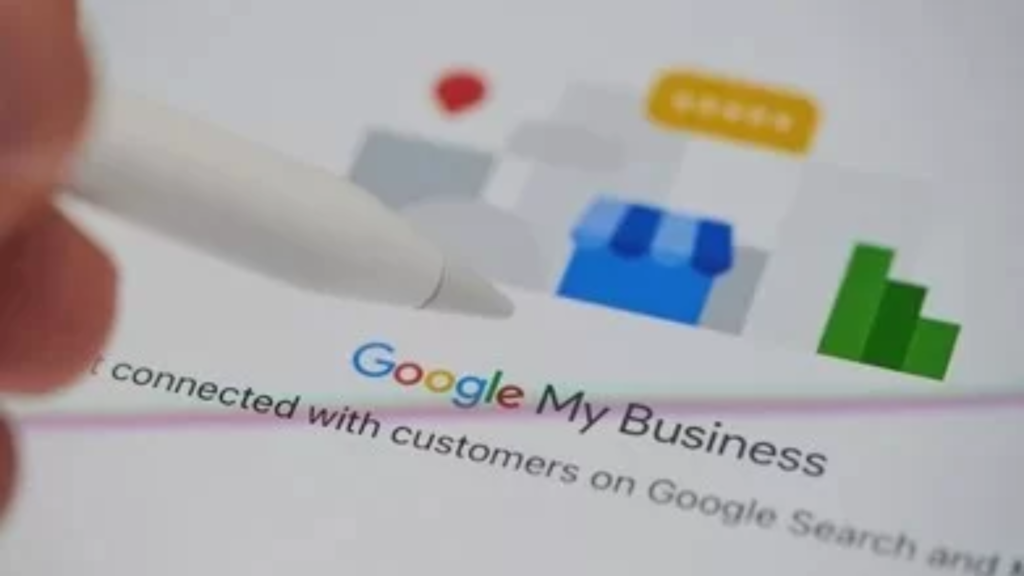
For many local businesses, a Google Business Profile (formerly GMB) is often the first point of contact for potential customers. You might be showing up in searches and getting views, but if the calls aren’t coming in, it’s a clear signal that your GMB performance and overall local SEO strategy need attention. In this article, we’ll explore the common mistakes affecting your profile’s effectiveness and how to optimize it to turn online searches into real calls. 1. Incomplete or Inaccurate Business Information Missing phone numbers, outdated addresses, or inconsistent business hours can confuse or frustrate users. If someone can’t trust your profile, they won’t call. Solution: Fill out all details in your profile, including contact info, categories, and services. Ensure your Name, Address, and Phone number (NAP) are consistent across all listings. Keep business hours updated, especially during holidays. A complete profile boosts credibility and strengthens your GMB performance in local searches. 2. Lack of Reviews or Social Proof Potential customers rely heavily on reviews. Few or negative reviews can discourage people from contacting you. Solution: Encourage happy customers to leave reviews. Respond professionally to all feedback. Highlight testimonials in your posts or updates. Active engagement with reviews is an essential part of local SEO and GMB optimization, showing Google and users that your business is trustworthy. 3. Weak Visual Content Profiles without photos or videos appear inactive. Visuals help users feel confident about contacting your business. Solution: Upload high-quality photos of your location, staff, and products. Include short videos demonstrating your services or facilities. Update visuals regularly to maintain relevance. Profiles with engaging media consistently see improved GMB performance. 4. Incorrect Category Selection Choosing broad or irrelevant categories can lead to mismatched searches, reducing calls. Solution: Select the most specific primary category. Add relevant secondary categories. Periodically review categories to align with business growth. Correct categorization ensures your profile reaches the right audience, a key aspect of local SEO and GMB optimization. 5. Neglecting Posts and Updates Active profiles are rewarded by Google and trusted by users. Ignoring posts can make your business appear inactive. Solution: Publish weekly updates, special offers, or FAQs. Use posts to address customer questions or highlight services. Include clear calls-to-action like “Call Now” or “Book Appointment.” Regular posts improve engagement and overall GMB performance. 6. Ignoring Q&A Section Unanswered questions create a perception of poor customer support. Solution: Monitor and answer questions promptly. Pre-fill common questions to assist visitors. Keep answers clear and helpful. Active Q&A management enhances trust and contributes to better local SEO and GMB optimization. 7. Not Leveraging Insights and Analytics Many businesses overlook GMB Insights, missing valuable clues about user behavior. Solution: Track clicks, calls, and search views. Identify which posts or photos generate the most interest. Adjust strategies based on analytics to boost conversions. Data-driven improvements directly impact your GMB performance and effectiveness in local searches. 8. Weak Website or Landing Page Integration Even with a well-optimized profile, a poor website can prevent users from calling. Solution: Ensure your website is fast, mobile-friendly, and easy to navigate. Add clear call-to-action buttons like “Call Now.” Align website messaging with your GMB profile. Your website should complement GMB efforts, reinforcing local SEO and GMB optimization. Final Thoughts If your business isn’t getting calls despite having a Google Business Profile, small but critical issues are likely at play—missing info, poor visuals, weak reviews, or inactive updates. By focusing on effective local SEO and GMB optimization, you can improve visibility and convert impressions into actual leads. Your Google Business Profile is often the first real interaction potential customers have with your business. Optimizing it carefully ensures better GMB performance and more calls. For businesses ready to maximize their local leads and improve overall profile effectiveness, partnering with experts can make a significant difference. That’s where Webtrack Technologies comes in—helping you turn online visibility into loyal, paying customers.
Supercharge Your WordPress SEO with the New LLMs.txt Tool
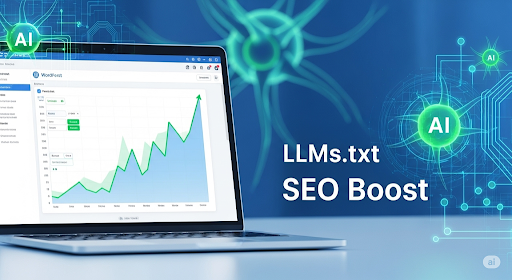
Search engine optimization is crucial for any WordPress website aiming to attract organic traffic and build credibility. While traditional SEO strategies like meta tags, sitemaps, and structured content have their place, modern AI-driven tools can dramatically improve the way your site interacts with search engines. One such innovative tool is LLMs.txt, designed to streamline how AI models understand and process your website content. As a Certified WordPress Developer, I’ve explored numerous SEO strategies, and integrating LLMs.txt has shown promising results for boosting content discoverability and improving indexing efficiency. This blog will provide a detailed overview of LLMs.txt, its benefits for WordPress SEO, and practical implementation steps. By the end, you’ll understand how this tool can help you enhance your website’s visibility while maintaining a user-friendly experience. Understanding the Challenges of WordPress SEO WordPress is one of the most popular website platforms globally, but it comes with its own set of SEO challenges. Many websites struggle with indexing delays, inconsistent crawlability, and difficulty in optimizing content for AI-driven search engines. While plugins and traditional SEO tactics help, they often fail to address the underlying issue: ensuring that AI models can fully understand your site’s content structure. Another major challenge is keeping your site optimized as it grows. Adding new pages, blog posts, or products can create inconsistencies that slow down indexing. In these situations, professional custom web development services can help streamline the process, ensuring your website remains fully optimized and structured correctly for search engines. Website owners can achieve better SEO results by combining development expertise with modern AI tools like LLMs.txt without manually adjusting every page. What is LLMs.txt and Why It Matters LLMs.txt is a file-based solution designed to communicate directly with AI models, guiding them on which parts of your site to prioritize and understand. Unlike traditional SEO methods, LLMs.txt provides a structured approach that allows AI to interpret your content more accurately, resulting in better indexing and improved search performance. Key Features of LLMs.txt Automatic Generation: LLMs.txt can be created and updated automatically, reducing manual work. Customizable Rules: You can define which sections of your website AI should focus on or ignore. Plugin Integration: Seamlessly integrates with WordPress SEO plugins to enhance existing workflows. How LLMs.txt Helps SEO Implementing LLMs.txt ensures that your content is readable not only by humans but also by AI-driven search tools. This improves the likelihood of your pages being indexed quickly and appearing higher in search results. Moreover, properly configured LLMs.txt files can enhance user experience indirectly by ensuring that the most relevant and valuable content is highlighted in search results. Incorporating LLMs.txt complements other SEO strategies, making your overall approach more robust and effective. Implementing LLMs.txt in WordPress Integrating LLMs.txt into your WordPress site is straightforward but requires careful attention to detail. Here’s a step-by-step guide: Installation: Add the LLMs.txt file to your site’s root directory, ensuring it is accessible to AI crawlers. Configuration: Define rules for which content should be prioritized, including pages, blog posts, and media files. Testing: Use tools to validate that your LLMs.txt file is correctly interpreted by AI systems. Monitoring: Track indexing performance and adjust rules as necessary to optimize results. Many businesses rely on professional expertise for seamless integration. Leveraging experienced developers ensures that your LLMs.txt setup is aligned with both WordPress architecture and your SEO goals. This process minimizes errors and maximizes efficiency, allowing your website to reap the full benefits of AI-optimized indexing. Common Mistakes to Avoid Incorrect Syntax: Even a small error can prevent AI from interpreting your site correctly. Overcomplicating Rules: Keep it simple; overly complex instructions can confuse AI models. Ignoring Plugin Compatibility: Ensure LLMs.txt does not conflict with existing SEO plugins to avoid performance issues. Maximizing SEO Impact While LLMs.txt is a powerful tool, it works best in combination with traditional SEO strategies. Implementing structured data, sitemaps, and meta descriptions alongside LLMs.txt ensures your website is fully optimized for both humans and AI. Tracking performance metrics is essential. Monitor indexing speed, page visibility, and organic traffic to assess the impact of LLMs.txt. Iterative improvements, based on these insights, help maintain high SEO performance over time, ensuring your website remains competitive in search rankings. Leveraging the Best Website Development Service For businesses looking to maximize the benefits of LLMs.txt, collaborating with a professional best website development service can make a significant difference. These experts provide comprehensive support, from file integration to broader SEO optimization strategies. By combining their technical expertise with advanced AI-driven tools, websites can achieve improved indexing, higher visibility, and a seamless user experience. Actionable Tips for WordPress Site Owners Create a Simple LLMs.txt File: Focus on the most critical content areas for AI indexing. Regular Updates: Keep the file current with new pages or content changes. Combine with SEO Plugins: Use WordPress SEO plugins to complement LLMs.txt functionality. Monitor and Adjust: Periodically check indexing results and tweak rules as needed. Prioritize User Experience: Ensure that any SEO optimization does not compromise readability or site navigation. By following these actionable tips, WordPress site owners can maximize SEO results while maintaining a smooth and engaging website experience. Conclusion LLMs.txt is transforming the way WordPress websites interact with AI-driven search engines, providing a structured and efficient method for optimizing content. By implementing this tool thoughtfully, website owners can achieve faster indexing, improved visibility, and enhanced search performance. For businesses seeking expert guidance, professional services can ensure seamless integration and long-term success. Partnering with Webtrack Technologies offers the necessary support to fully leverage modern SEO tools and strategies while maintaining a robust and user-friendly WordPress website.